How Proteryx Works

Start free, connect your broker, then trade your full portfolio.

Go from a 7-day trial to broker connection, portfolio routing, automation, and live execution inside one web-based futures desk.

proteryx · free-week-to-trade-desk-workflow
Use code FREE Weekly plan trial Broker connection Trade Desk
Step 1 of 12 Swipe, tap a step, use arrows, or pause.
Start With Code FREESubscribe to weekly access and get your first 7 days free.
Trial week unlocked
Step 01 · Free WeekUse FREE
Weekly plan trial

7 Days Free

Subscribe weekly. Use code FREE at checkout.

Trading DeskCopy TradingAutomation
First week$0Then billed weekly
Promo codeFREE
Start your free week
Free Week

Start with the weekly plan, pay $0 for the first 7 days.

Use code FREE at checkout to activate your first week. You get full access from day one, including the Trading Desk, broker connection, copy trading, and automation tools.

Promo codeFREE
First week$0
PlanWeekly access
Broker ConnectionConnect supported brokers and start building your workspace.
Broker ready
Step 02 · ConnectAdd Broker
TradovateConnectedOAuth broker connection ready.
IBKRAvailableProvider card ready for setup.
Primary Broker Link
Demo or Live
Redirect to secure login
Connection

Connect your broker.

Link your trading account, choose your provider, and access your Proteryx workspace through controlled broker connection methods.

ProviderTradovate / IBKR
ModeDemo or Live
AccessControlled login
Portfolio BuilderCreate a portfolio for a specific trading setup.
Portfolio ready
Step 03 · PortfolioAdd Portfolio
EnabledPortfolioPlatformAction
Main DeskTradovateDetails
AutomationTradovateDetails
Funded AccountsTradovateDetails
Portfolio NameMain DeskReady for account assignment.
Trade DeskEnabledPortfolio can be opened from the desk.
Portfolio

Create your first portfolio.

Build portfolios for funded accounts, personal accounts, strategy groups, or manual trading workflows.

PortfolioMain Desk
PlatformTradovate
EnabledOn
Account AssignmentAdd accounts to each portfolio and select what trades.
Accounts synced
Step 04 · AccountsAdd Accounts
AccountP/LEquityStatus
APEX-01$0.00$50,000Selected
MFFU-02$0.00$50,000Selected
ELITE-03$0.00$50,100Selected
Apex12Accounts grouped.
MFFU6Accounts grouped.
TPT5Accounts grouped.
Accounts

Add accounts to your portfolio.

Choose the accounts that belong inside each portfolio so you can trade, monitor, and copy across the right group.

Accounts30+ supported
SelectionOne by one
ViewSummary table
Leader AccountPick the account that controls portfolio execution.
Lead selected
Step 05 · LeaderSet Leader
Main Desk
Primary Execution Account
Tradovate
$0.00
Leader AccountActiveThis account becomes the execution source.
FollowersSyncedSelected accounts can follow the lead.
Lead Account

Set the leader account.

Choose the lead account per portfolio so Proteryx knows which account drives the execution logic.

LeaderPrimary Execution Account
PortfolioMain Desk
PlatformTradovate
Portfolio ScalingControl how size is adjusted across accounts.
Sizing rules
Step 06 · SizingSave Rules
1.00
0
1
8
Cross
Custom list
FormulaorderQty = min(orderQty, max)Keep account size inside your portfolio limits.
Scaling

Manage portfolio scaling limits.

Set quantity multipliers, max quantity, hedge behavior, cross-symbol pairs, and allowed symbols for tighter execution control.

Max Qty8
HedgeCross
SymbolsAllowed list
Risk SettingsAdd account and portfolio behavior controls.
Risk ready
Step 07 · RiskSave Risk
Day Loss LimitConfiguredTrack loss controls inside portfolio logic.
Auto LiquidateVisibleKeep key thresholds in view.
Lock SymbolsAvailableBlock trades on specific symbols.
Cross SymbolsCustomMap symbol behavior across contracts.
Risk

Set portfolio risk parameters.

Define how your portfolio handles limits, blocked symbols, cross-symbol rules, and account-level execution behavior.

LimitsPortfolio level
SymbolsLock rules
OrdersControlled
Card VisibilityChoose what account data appears on your cards.
Privacy view
Step 08 · VisibilitySave View
Hidden
Visible
Visible
Hidden
Hidden
Visible
Privacy-friendly cardsAccount name hiddenShow the values you need and hide what you do not want displayed.
Display

Customize card values.

Hide or show account names, total P&L, open P&L, equity, drawdown, auto-liquidation value, and day loss limits.

PrivacyHide names
P&LHide or show
ViewCustom cards
PreferencesChoose your default trading workspace.
Defaults saved
Step 09 · PreferencesSave Defaults
Main Desk
Primary Data Connection
MNQM6
Default PortfolioReadyOpen your preferred setup first.
Default SymbolMNQM6Start charting the right contract.
Preferences

Set favorites for faster access.

Choose your preferred portfolio, market data broker, and favorite futures symbol so your workspace opens ready.

PortfolioMain Desk
Market DataPrimary Connection
SymbolMNQM6
Auto Trader BuilderCreate strategy or indicator-based automations.
Automation ready
Step 10 · AutomationCreate Auto Trader
StrategyTradingViewTrigger orders from strategy alerts.
IndicatorCustomDefine ticker, side, quantity, TP, SL, and more.
NameTypeStatusSymbol
Momentum Sell MESIndicatorInactiveMES
NQ BreakoutStrategyActiveMNQ
Automation

Create automations from strategies or indicators.

Pick a pre-built Auto Trader for paper trading and education, or create your own TradingView strategy or indicator alert workflow.

TypesStrategy / Indicator
SourceTradingView
StatusOne-click control
Execution ConfigSet order behavior before automation goes live.
ATM ready
Step 11 · ConfigUpdate Config
8
Limit
-0.5
GTC
8
14
Trading PortfolioAutomationApply this Auto Trader to the selected portfolio.
Execution

Configure automated execution.

Set quantity, order type, slippage, time in force, take profit, stop loss, and the portfolio that the Auto Trader should trade.

Quantity8
Take Profit8
Stop Loss14
Proteryx Trade DeskTrade, monitor, and manage the full portfolio.
Desk active
Step 12 · Trade DeskNew Trade
Sell27329.25
Buy27329.75
TRAIL.STP
TP / SL
Sell MNQM6 · Route To Portfolio
AccountP/LEquityOrders
MFFU-01$0.00$50,0000
ELITE-02$0.00$50,1000
TPT-03$0.00$48,9120
Trade Desk

Trade your portfolio from one desk.

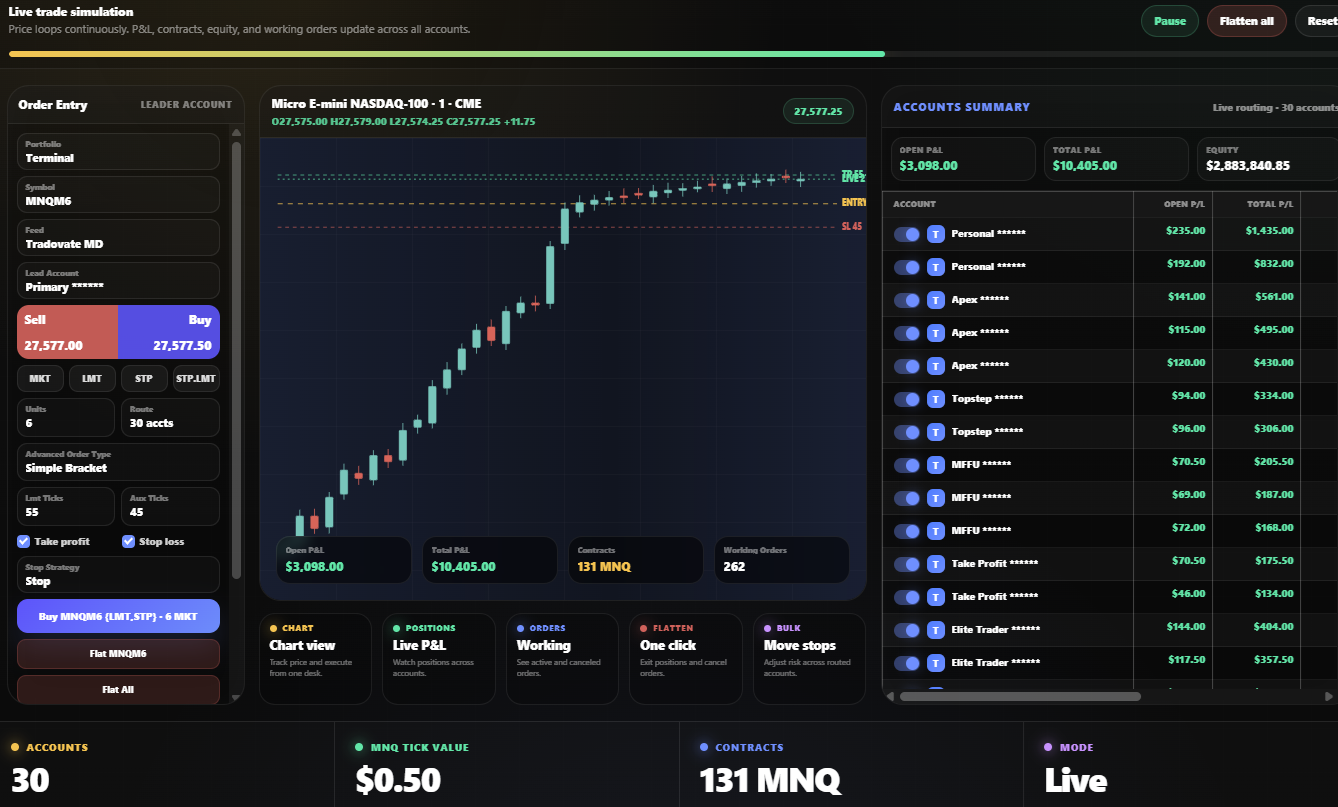
Use TradingView charts, ATM order entry, accounts summary, positions, orders, and bulk actions from one web-based futures trading workspace.

ChartTradingView
OrdersATM / Brackets
AccountsSummary view
Trial
7 days
Use code FREE at checkout for your first week.
Routing
1 → many
Send one instruction across connected accounts.
Automation
TV alerts
Turn strategy and indicator alerts into execution rules.
Workflow
12 steps
From free week to full Trade Desk execution.